

AssetLoom Studio is open
Build a game-ready character, car or sword in your browser and export one FBX or GLB. Building is free. An export costs 200 credits.
By AssetLoom Team, published , 3 min read
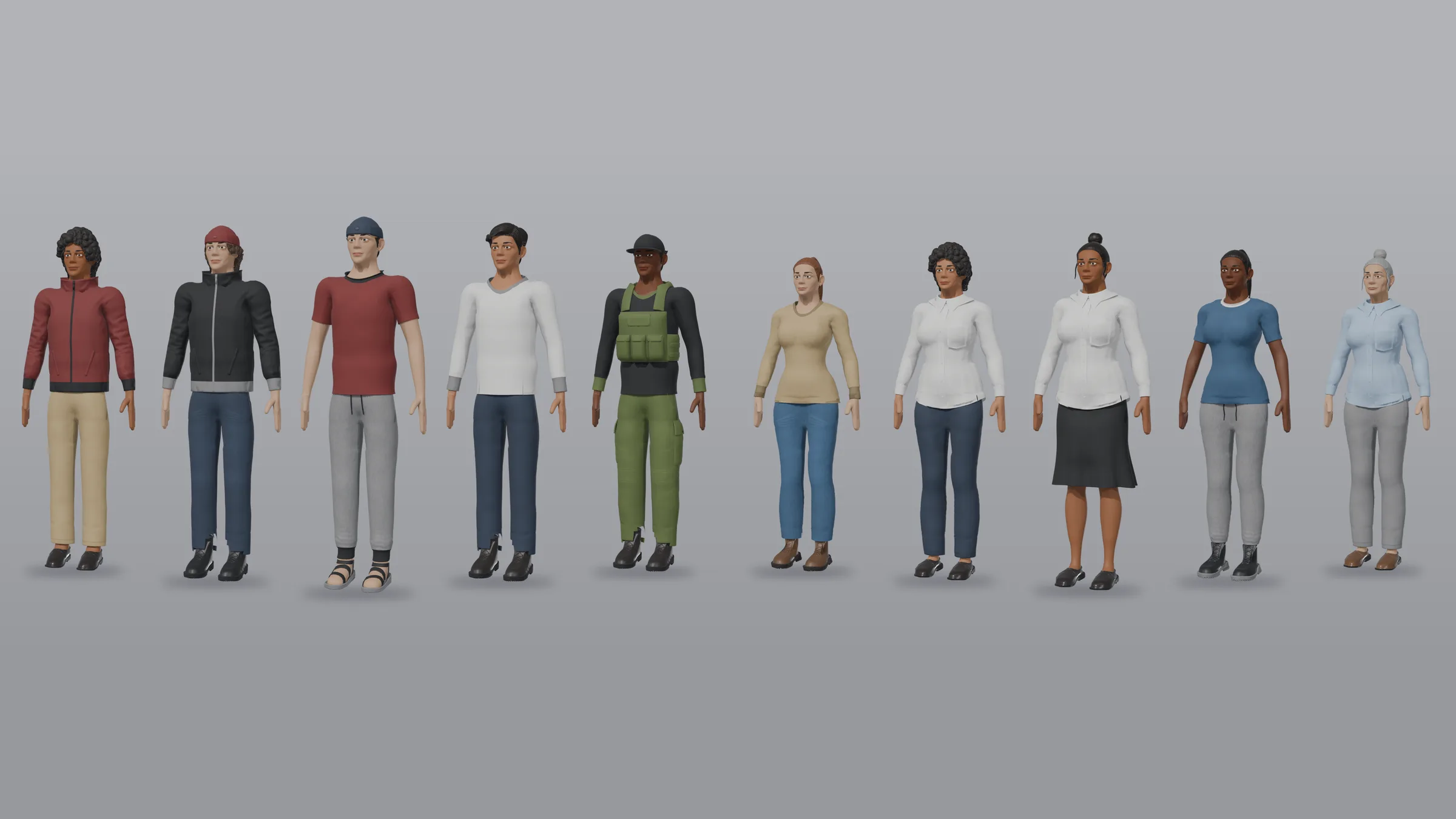
Studio is now open to everyone with an AssetLoom account. It turns the Starters and Packs you own into game-ready files, right in your browser. You choose the parts, see the result in 3D, and export one FBX or GLB for Unity, Unreal Engine, Godot or Blender. No Blender needed.
What Studio does
Studio has two tools.
- Build. Start from a Starter, the base you build from. Packs add more parts. Choose the parts, colours and sizes, and export the result ready for your engine.
- Animate. Pick a rigged character you own, or an avatar you built, and add clips from your animation packs. You get one file with every clip baked in. Every AssetLoom humanoid shares one skeleton, so every animation pack works with every one of them. Clips adapt to the character’s proportions and keep its feet on the ground.
How it works
- Pick a Starter. Open Studio and choose a Starter. Start from a preset or from scratch.
- Make it yours. Swap parts, set colours and sizes, and watch the model change as you go. Save your build and come back to it later.
- Export one file. Download a single FBX or GLB. Characters come out rigged. You can also send an avatar to Animate first and export it with its animations.
What you can build today
- Avatars. The Loom Avatars Starters, Masculine and Feminine, are free. Pick a body, head, hair, outfit and shoes, then set the colours, height and build. Hats and hair work together: long hair tucks in under a hat. The Halloween Costume Pack (150 credits) and the Sportswear Pack (100 credits) add more outfits.
- Cars. Start from the Low-Poly Modular Car Starter and add its Rally and Liveries Packs. Combine bodies, wheels, bumpers, spoilers and paint. Wheels and doors come out with their pivots in the right place for your engine’s vehicle setup.
- Swords. The Sword Builder has blades, guards, grips and pommels, with a grip point ready for your character’s hand.
- Animation. Studio Animate works with our animation packs: walking and running, combat, jumps, dance, Halloween monster moves, and vehicle and seated clips. Put swords, shields and backpacks on sockets, and recolour outfits before you export, so one character can become a whole squad.
The Rigged Mannequin is free, so one animation pack is all you need to try Animate.
What it costs
| What | Cost |
|---|---|
| Building, saving and previewing | Free |
| An export | 200 credits, paid from your Loom Credits |
| A failed or cancelled export | Free: the credits come back automatically |
| Exporting the same build again | Free |
| Downloading an export again | Free |
New accounts get 200 welcome credits when they verify their email, once per person. That is enough for one export. Welcome credits are spent before purchased credits and expire 90 days after we add them.
See pricing for Loom Credits and top-ups.
What’s next
We’re working on more for Studio:
- houses and buildings;
- uploading your own prints, such as logos and art for outfits and cars (the prints and decals that come with your Packs work now);
- more Starters and Packs. New ones work in Studio as soon as they’re out.
We’ll post here when each one is ready.
Get started
The guide Getting started with AssetLoom Studio walks you through your first build and export, step by step. When you’re ready, open Studio.
Guide · Game assets
Getting started with AssetLoom StudioBuild your first game-ready character in the browser: pick a free Starter, swap parts, shape and colour it, animate it, and export one rigged FBX or GLB.
Spotted a mistake or have a question? Email support@assetloom.io.
More from the blog
All posts
AI & industry
Unreal Engine 5.9 Preview puts AI agents in the editor: what game developers should know
Epic's Unreal Engine 5.9 MegaJam Preview adds editor AI agents, Unreal Canvas for generated meshes and AI animation. What shipped and what to check.
, 6 min read
Behind the build
How we make animation clips that chain, loop and keep hands on the body
One shared idle, Start/Loop/End clips and hands that stay on the skin: how we build humanoid clip packs with no pops at the seams, and what you can reuse.
, 7 min read

AI & industry
Half of October's new Steam games disclosed AI content: what Steam asks and how to be ready
49.9% of October 2026's new Steam games disclosed AI content. What Steam's AI disclosure asks, what Valve said, and how to keep a provenance record.
, 6 min read